USB PD and PPS Support: What Wholesale Buyers Must Verify
Protocol support determines whether a charger delivers the rate a device actually requests. Three things must line up: the charger must advertise the right Power Delivery version and fixed voltage steps, it must support PPS if the device uses a programmable range, and the cable must be rated for the current involved. A charger that lists "fast charging" without naming the protocol version has told you nothing you can plan a programme on. Ask for the port-by-port protocol table, then verify negotiation on a sample with a USB power tester.
Key takeaways
- PD version and PPS support are separate specifications; a charger can have one without the other.
- Fixed voltage steps (5V, 9V, 12V, 15V, 20V) cover most phones and laptops; PPS covers devices that request a variable range.
- Above 100W the standard requires PD 3.1 extended power range, and both charger and cable must support it.
- Cable current rating caps the whole chain, whatever the charger advertises.
- Verify negotiation per port, because multi-port chargers often share protocol hardware across ports.
PD, PPS and the difference that costs money
USB Power Delivery is a negotiation protocol. The charger advertises a set of power rules — fixed voltages with current limits — and the device picks one. A phone that wants 9V at 3A will only get it if the charger advertises that rule.
PPS, Programmable Power Supply, is an optional part of the PD specification that lets a device request a continuously variable voltage within a range, in small steps, with current adjusted accordingly. Devices that rely on PPS for their fastest charging will fall back to a fixed rule — or to a slower protocol — on a charger that does not support it.
That is why two chargers with the same wattage can behave differently on the same phone, and why "65W" alone is not a specification you can buy against.
| Specification | What it defines | Why a buyer should care |
|---|---|---|
| PD version | Which power rules and features are available | Determines maximum output and feature support |
| Fixed voltage steps | The exact voltages advertised | A missing step means a device falls back to a lower rate |
| PPS range | Lower and upper voltage of the programmable range | Devices that rely on PPS lose their fastest mode without it |
| Current per rule | Amps available at each voltage | Sets the practical wattage per device |
| Cable rating | Current the cable can carry safely | Caps the chain regardless of charger capability |
What the versions actually change
- PD 2.0 / 3.0 define fixed rules up to 100W over USB-C, with PPS introduced as part of PD 3.0.
- PD 3.1 adds extended power range, raising the ceiling well above 100W, and adds an extended PPS range. Both the charger and the cable must support EPR for the higher figures to be available.
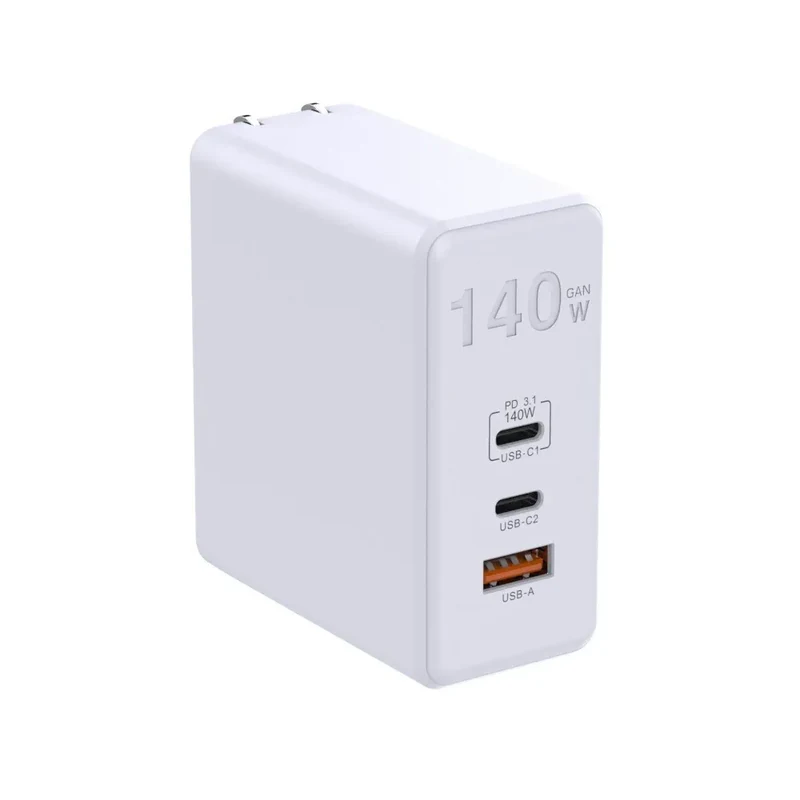
A practical consequence: a 140W or 240W charger is only meaningful with an EPR-rated cable and an EPR-capable device. Sold into a market of phones and 65W laptops, the extra capability is dormant — and paid for.
The cable is a protocol participant, not an accessory
USB-C cables are not interchangeable at high current. A cable without an electronic marker is limited to 3A, which caps delivery at roughly 60W at 20V. Delivering 100W or more requires a marked cable rated for 5A, and EPR delivery requires a cable rated accordingly.
Two failures follow from this:
- The charger is blamed for a cable limitation. A customer pairs a 100W charger with an unmarked cable, sees a slower rate, and returns the charger.
- The bundle is under-specified. A charger sold with a cable that cannot support its own maximum output is a support problem built into the packaging.
For wholesale programmes, specify the cable rating in the same document as the charger's port table.
Testing negotiation on a sample
A USB power tester — a small inline meter that reports the negotiated voltage, current and protocol — is enough to check the essentials. Run these four tests:
- Fixed rules per port. Confirm the charger advertises the voltage steps your target devices use. Test each port, not just the first.
- PPS range. If PPS is claimed, confirm the range the charger advertises, not just that PPS appears in the list.
- Multi-port behaviour. Connect a laptop and a phone, and observe the negotiation on both. The sharing policy should match the published table.
- Cable effect. Repeat the highest-power test with a known 3A cable and a known 5A cable. If the result does not change, either the charger or the device is the limit — find out which before blaming the cable.
Record the results per port. A charger that behaves correctly on port one and differently on port three is a specification problem, not a testing artefact.
Reading a supplier's protocol claim
Supplier documentation ranges from a full port-by-port table to the phrase "supports PD fast charging". Four questions separate the two:
- Which PD versions are supported, per port?
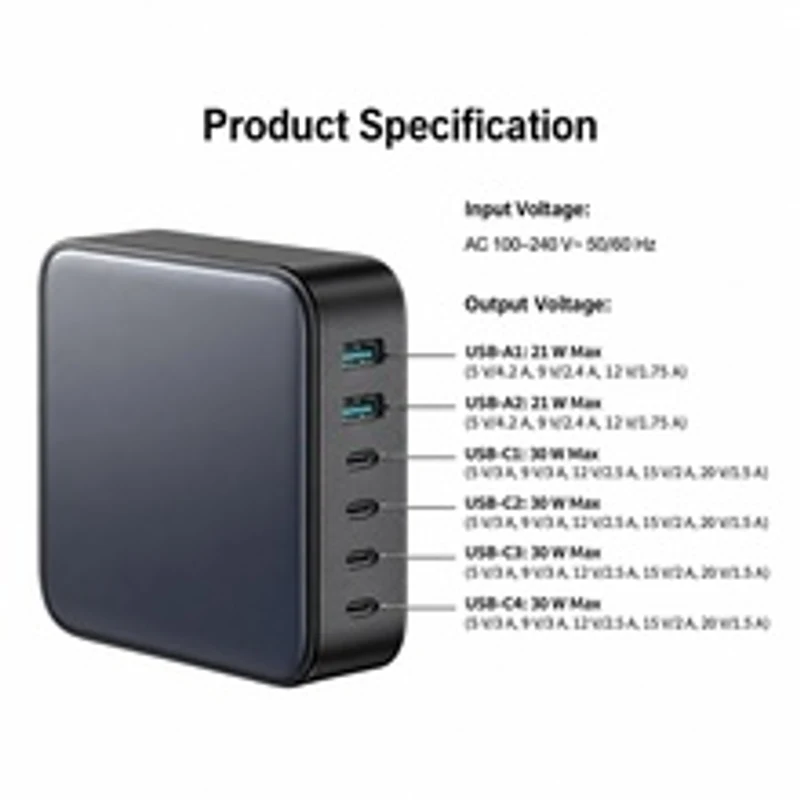
- What fixed voltages are advertised, per port, with the current available at each?
- Is PPS supported, and over what voltage range?
- What happens to each port's allocation when two or three devices are connected?
A supplier who can answer all four is working from a test report. A supplier who answers only the first is quoting a chipset feature list.
Where protocol gaps turn into returns
Protocol problems rarely appear as dead units. They appear as complaints that sound like something else:
- "It charges slowly" — a missing voltage step or an unsupported PPS range
- "It stopped fast charging when I plugged in my watch" — a sharing policy, not a fault
- "It only charges at the same speed as my old charger" — the device never requested more
- "The cable doesn't work" — a 3A cable on a 5A requirement
Each of these is cheaper to prevent with a protocol table than to resolve through returns.
This guide describes USB Power Delivery and PPS specifications and how to verify them on a sample. It does not publish test results for specific SKUs, chipset names or supplier pricing. Protocol support differs by model and by port, and the specification evolves — confirm the current port table with the supplier and verify it with an inline tester before committing volume.
Frequently asked questions
Does a higher wattage charger always charge my phone faster?
No. The phone negotiates the rate it supports. A 100W charger on a phone that requests 25W delivers 25W. Higher wattage matters when a laptop is connected, or when the charger can supply more to a device that asks for it. Wattage is a ceiling, not a speed.
What is PPS and do I need it in my range?
PPS is a programmable voltage range within USB PD that some devices use for their fastest charging and for reduced heat. If your market is dominated by devices that rely on it, a charger without PPS will underperform on those devices. If your devices use fixed rules, PPS adds cost without visible benefit. Check your target device list before deciding.
Can I claim 100W if the charger supports it but the included cable does not?
Not honestly. The package cannot deliver 100W with a 3A cable, so the claim is misleading and generates returns. Either include a marked 5A cable or state the delivered maximum with the included cable.
Why do some ports behave differently from others on the same charger?
Multi-port chargers often share a controller and divide a single power budget. Some ports may not support the highest rules, and allocation changes as devices are added. That is normal, but it must be documented port by port, otherwise the customer discovers it as a fault.
How can I test protocol support without a lab?
An inline USB power tester that reports voltage, current and the negotiated protocol is sufficient for the checks in this guide. Test each port, with and without a second device connected, and repeat the highest-power test with two different cable ratings to separate charger limits from cable limits.
Ready to shortlist suppliers?
Send your SKU list, target quantities and destination markets. We confirm current specifications, MOQ tiers, certification files and carton data before any order.